Audio Mixing Tips Creating Space and Depth
In the realm of audio production, achieving a mix that is both clear and engaging is paramount. Crafting space and depth in your mix will elevate a flat track into a rich, immersive experience. Here are some audio mixing tips that will equip you with the skills to achieve a professional sound.
Understanding Space and Depth in Audio Mixing
Creating an effective mix involves understanding the complex interplay of space and depth. These elements give life to your audio, transforming it from a series of sounds into an auditory experience.
What Is Space in Mixing?
Space in mixing refers to the perceived three-dimensional environment in which sound exists. The width, height, and depth of a track, providing each element with its own distinct place in the stereo field. This allows listeners to perceive the direction and location of sounds.
Width: The horizontal dimension of sound, determined by panning techniques. It allows sounds to occupy different positions from left to right.
Height: The vertical dimension, influenced by frequency distribution. Higher frequencies can create a sense of height in a mix.
Depth: The front-to-back dimension, creating the illusion of distance between sounds,. Achieved through effects such as reverb and delay.
Why Depth Matters
Depth is a crucial component that adds a sense of realism and immersion to your mix. It creates the illusion of distance between instruments and vocals, making the mix more engaging for the listener. Utilizing depth, you can guide the listener’s focus and create an emotional impact.
Realism: A mix with depth mimics the natural way we hear sounds in the real world, making it more relatable and enjoyable.
Engagement: Depth draws listeners in. Maintaining their interest and enhancing the emotional connection to the music.
Focus: By varying the depth, you can highlight important elements in your mix. Ensuring they stand out at the right moments.
Techniques for Creating Space
Creating space in your mix involves various techniques that prevent sounds from clashing. By giving each element its own space, you can achieve a full and balanced mix.
Panning for Width
Panning is one of the simplest yet most effective ways to create space in your mix. By positioning sounds across the stereo field, you can prevent elements from overlapping and make the mix sound more spacious.
Hard Panning: Place certain instruments, such as rhythm guitars or backing vocals, hard left or right to widen the mix. This technique helps to clear the space for lead elements.
Subtle Panning: Use slight panning for elements like lead vocals or bass to keep them centered while still creating a sense of space.
Balanced Panning: Ensure that your panning decisions contribute to a balanced stereo image. Avoiding an unintentional lean towards one side.
Use of Equalization (EQ)
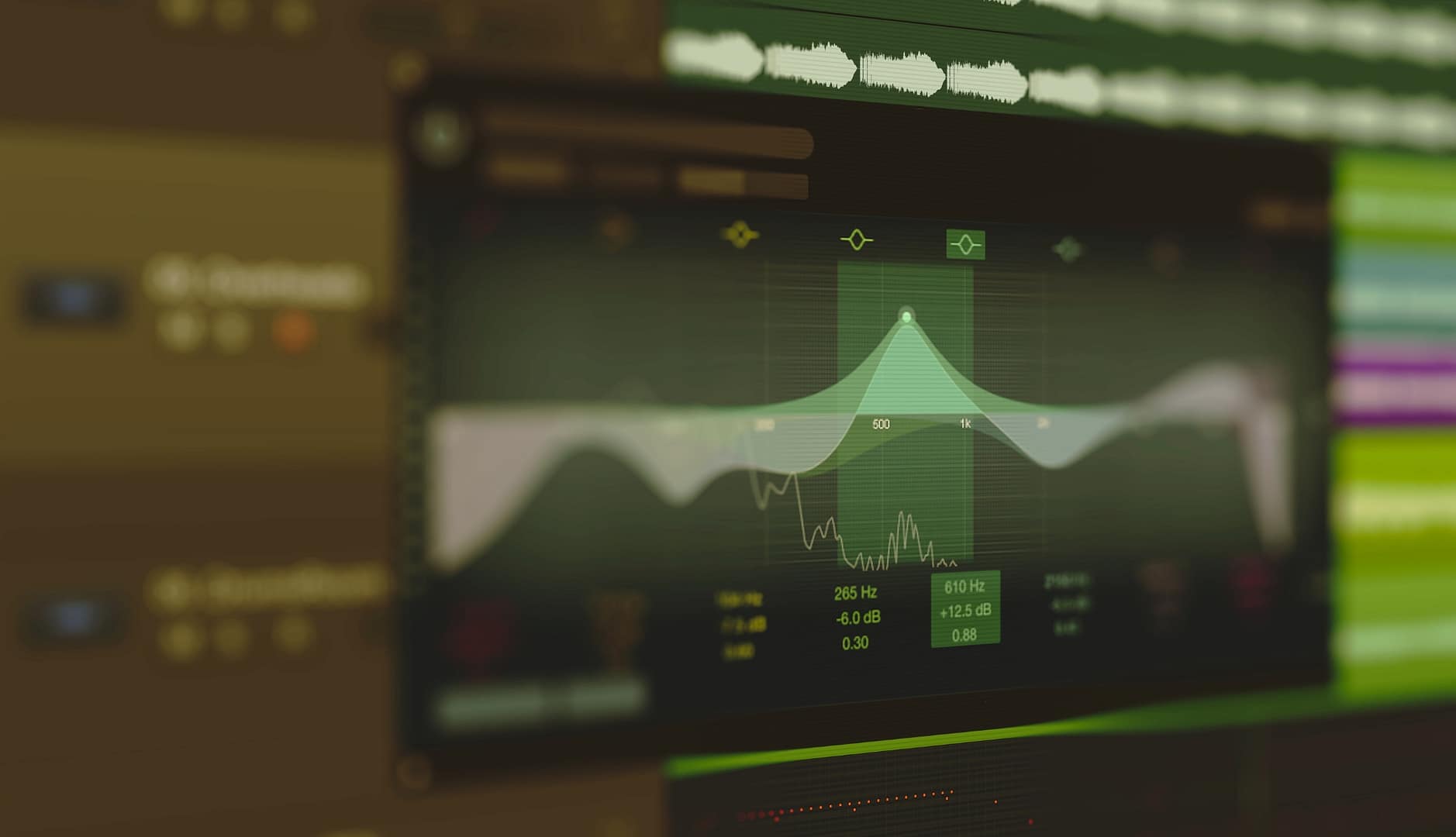
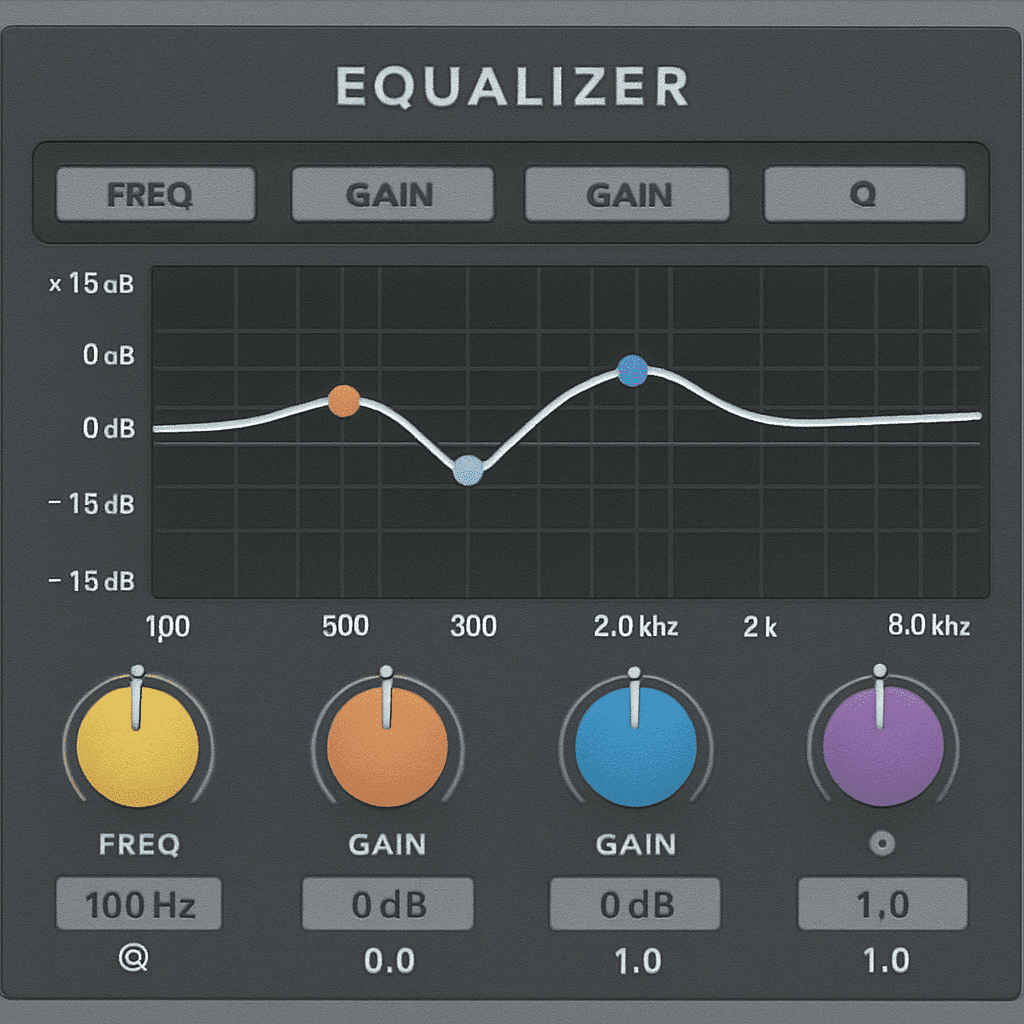
EQ is crucial for carving out space in a mix by reducing frequency overlap between instruments. This technique ensures that each element has its own sonic space, enhancing clarity.
High-Pass Filters: Remove low-end frequencies from non-bass instruments to avoid clutter in the low-frequency range. This creates room for bass element.
Notch Filtering: Identify and reduce problematic frequencies that cause resonance or muddiness. This technique helps to clean up the mix and improve definition.
Frequency Slotting: Assign specific frequency ranges to different instruments. Ensuring they occupy distinct spaces in the mix.
Volume Automation
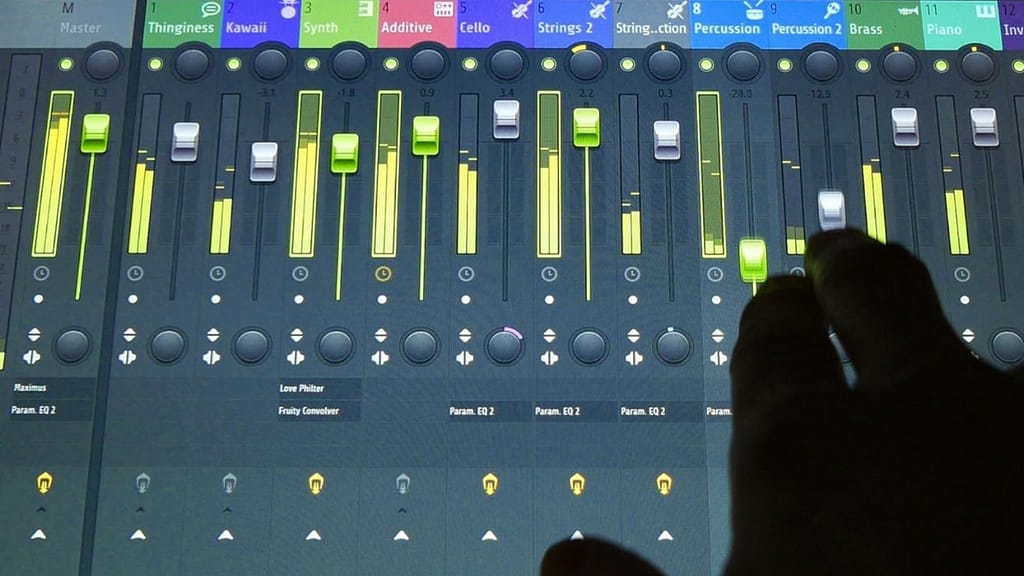
Volume automation is a powerful tool for creating space by dynamically adjusting the levels. This technique allows you to highlight important moments and maintain balance.
Dynamic Movement: Adjust the volume of elements to create movement and interest. Preventing the mix from becoming static.
Focus and Clarity: Use automation to bring certain elements forward or push them back. To enhance focus and maintaining clarity.
Emotional Impact: Volume automation can enhance the emotional impact of a mix. Emphasizing key moments and transitions.
Techniques for Adding Depth
Adding depth to your mix involves using effects that create the illusion of distance and space. These techniques can transform a flat mix into a dynamic and immersive listening experience.
Reverb and Its Role
Reverb simulates the natural reflections of sound in a space, adding a sense of depth and distance. The key is to use it carefully, ensuring that it enhances rather than overwhelms the mix.
Room Reverb: Gives the impression of a small, intimate space. Great for adding warmth and closeness to vocals or acoustic instruments.
Hall Reverb: Creates a sense of being in a larger, more open environment, perfect for adding space to orchestral or ambient tracks.
Plate Reverb: Adds a classic, smooth texture, ideal for vocals and lead instruments. Giving them a polished and professional sound.
Delay for Depth
Delay can also create depth by repeating sounds at intervals, simulating echoes in a space. This effect can add richness and complexity to your mix.
Slapback Delay: A short delay that adds a sense of closeness and intimacy, mostly used on vocals and guitars to create a retro feel.
Ping Pong Delay: Alternates between left and right channels, creating a dynamic spatial effect that adds movement to the mix.
Long Delay: Creates echoes that can fill out a mix and add a sense of vastness, useful for ambient and experimental tracks.
Layering Techniques
Layering involves stacking multiple sounds to create a richer texture. Each layer should have its own space and depth to avoid a cluttered mix.
Volume Automation: Adjust the volume of layers throughout the track to add movement and interest to your mix.
Compression: Controls the dynamic range of each layer to maintain balance and prevent elements from overpowering each other.
Frequency Separation: Use EQ to separate the frequency ranges of different layers. Ensuring that they complement rather than clash with each other.
Balancing Space and Depth
Achieving the right balance between space and depth is crucial for a professional-sounding mix. This involves carefully managing the interplay between different elements and effects.
Use of Modulation Effects
Modulation effects like chorus and phaser can add depth by subtly altering the sound. These effects can enhance the richness and complexity of your mix.
Chorus: Creates a thicker sound by duplicating and slightly detuning the signal. This effect adds warmth and depth to instruments and vocals.
Phaser: Adds movement and interest by shifting the phase of the sound, creating a swirling effect that can enhance depth and texture.
Flanger: Like phaser but with a more pronounced effect, useful for creating dramatic depth and movement in a mix.
Reference Tracks
Using reference tracks that have a sound you admire can guide you in achieving the desired space and depth in your mix. Comparing your mix to a professional one helps you identify areas for improvement.
Analysis: Listen critically to how space and depth are achieved in professional mixes.
Comparison: Compare your mix to the reference track, adjusting your mix to match the desired sound and balance.
Inspiration: Use reference tracks as a source of inspiration, helping you develop your own unique mixing style.
Listening Environment
A well-treated room and quality monitors or headphones are essential for accurately judging the space and depth in your mix. It will help you make informed decisions and achieve a professional sound.
Acoustic Treatment: Invest in acoustic panels and bass traps to minimize reflections. And to improve your monitoring.
Monitor Placement: Set up your monitors correctly to achieve an optimal stereo image and accurate bass response.
Headphones: Use studio quality headphones for listening. Especially when working in an untreated room.
Regular Breaks
Mixing can be an intense process that fatigues your ears. Taking regular breaks helps maintain perspective and make better decisions.
Ear Fatigue: Avoid listening fatigue by taking short breaks, allowing your ears to rest and recover.
Fresh Perspective: Stepping away from the mix for a while can provide a fresh perspective. Helping you identify issues and make improvements.
Productivity: Regular breaks can improve productivity. Ensuring that you remain focused throughout the mixing process.
Conclusion
Creating space and depth in your audio mix is an art that involves careful attention to detail. By understanding and applying these techniques, you can craft a mix that is not only clear but also immersive and engaging. Remember, the ultimate goal is to create a listening experience that resonates with the audience. Draw them into the sonic world you’ve created.
With practice and patience, these audio mixing tips will become second nature. Helping you produce professional-sounding tracks that captivate listeners. Embrace the process, experiment with different techniques. Continue to refine your skills to achieve the perfect mix.
Author: Sammy Adamkowski
-

Audio Mixing Tips: Enhance Space & Depth
-

How to Make House Music (Beginner’s Guide)
How to Make House Music (Beginner’s Guide)
House music is one of the most fun and rewarding genres to produce because it’s both simple at its core and endlessly creative. Here’s how you can start making your own tracks:
1. Get Your Tools Ready
DAW (Digital Audio Workstation): Choose software like Ableton Live, FL Studio, Logic Pro X, or Pro Tools.
Headphones/Monitors: Accurate sound is important—invest in quality if you can.
Optional: A MIDI keyboard makes playing basslines and chords more fun.
2. Start With the Beat (Four-on-the-Floor)
House music lives on a steady, driving rhythm.
Place a kick drum on every beat (1, 2, 3, 4).
Add claps or snares on beats 2 and 4.
Use hi-hats for groove—closed hats on off-beats, open hats sparingly.
Add swing to avoid sounding robotic.
3. Create the Bassline
The bassline is the soul of house music.
Use a sub bass (deep sine wave) to give weight.
Try short, bouncy notes that complement the kick.
Keep it simple but groovy—too much complexity kills the vibe.
4. Add Chords & Melodies
Start with a simple chord progression (minor for darker vibes, major for uplifting).
Add a lead melody using a synth sound—keep it catchy and repetitive.
Layer pads and textures to fill space and add atmosphere.
5. Arrange Your Track
House music is about tension and release. A basic structure looks like this:
Intro – DJ-friendly start, builds slowly.
Breakdown – Strips elements back, introduces emotion.
Build-Up – Rising energy, filters, risers, tension.
Drop – Full energy with drums, bass, and lead.
Outro – Gradual fade to let DJs mix out.
6. Mix and Polish
Balance levels so nothing overpowers.
EQ each sound to give it space (kick + bass need special attention).
Add reverb and delay for depth.
Master the track (make it loud and clean). Beginners can use mastering plugins like iZotope Ozone.
7. Stay Creative & Finish Tracks
Don’t get stuck on perfecting a loop—finish songs.
Study your favorite house tracks—drop one into your DAW and compare.
Collaborate with other producers or vocalists.
That’s it! You’ve got the blueprint. Even if your first track isn’t perfect, finishing it will teach you more than a hundred YouTube tutorials. -

Pre-Production Essentials: Setting Yourself Up for a Great Recording
Pre-Production Essentials: Setting Yourself Up for a Great Recording
When it comes to achieving a professional-sounding recording, the work doesn’t start when you press the red button. The foundation of a great mix and master is built during pre-production. Spending some time here can dramatically improve the quality, feel, and flow of your performance later on.
Here are three simple but powerful practices that can make a big difference:
1. Focus on the Feel of Playing
Before diving into a full session, spend time getting comfortable with tempo. Think about your performance almost like walking—steady, natural, and relaxed. Even small physical adjustments, like feeling the rhythm through your toes, can help you connect with the groove. The more natural it feels, the more effortless your recording will sound.
2. Record Yourself on Your Phone
Don’t wait until you’re in front of expensive studio gear to hear yourself recorded. Use your phone as a low-pressure rehearsal tool. By listening back, you’ll get a clearer sense of your timing, tone, and overall vibe. This also makes the experience of recording feel less intimidating later on. Helping you sound more confident when it really counts.
3. Practice at a Slower Tempo
One of the most effective ways to refine your performance is by slowing things down. Lower the tempo of your click track or metronome and work through the details. Phrasing, dynamics, articulation, and timing. Building this solid foundation at a slower pace makes it much easier to execute cleanly and confidently at the recording tempo.
Final Thoughts
Pre-production is about more than just “getting ready. It’s about developing the feel, focus, and comfort that lead to a polished, professional recording. By practicing steadily, recording yourself casually, and taking the time to refine details at a slower pace. You’re giving yourself the best chance to capture a performance that translates beautifully in the final mix. -

Mix in the Box: Essential Techniques & Tips
how to mix in the box
Mixing music is an art form that blends technical skills with creativity.
One of the most popular-ways to mix music today is “in the box,”. Meaning using digital audio workstation (DAW) software without relying on external hardware.
This method is not only effective but also opens up a realm of possibilities for producers.
In this article, we’ll break down the basics of mixing in the box. Covering essential techniques and tips to help you create professional-sounding mixes.
Before diving into specific techniques, it’s important to understand what mixing involves.
At its core, mixing is the process of balancing and blending individual tracks within a session to create a cohesive master.
This involves adjusting levels. Panning, equalization, compression, and adding effects like reverb and delay.
The Importance of Mixing
Mixing is crucial because it shapes the final sound of a song. A well-mixed track will sound warm, polished and professional. A poorly mixed one can be muddy and unclear.
Mixing is about ensuring each element has its own space in the mix. Allowing the listener to hear and appreciate every part of the song.
Setting Up Your Session
The first step in mixing in the box is setting up your session within your DAW. This includes organizing your tracks and setting up a rough mix. Also preparing your workspace for efficiency.
Organizing Your Tracks
Begin with Labeling
Start by labeling and color-coding your tracks. Group similar tracks together, such as all drums, vocals, or guitars. This organization will make it easier to navigate your session and focus on specific elements when needed.
Setting Up a Rough Mix
A rough mix is a basic balance of your tracks without any processing. This step gives you a foundation to build upon as you start applying more detailed mixing techniques.
Essential Mixing Techniques
With your session organized and a rough mix in place, you can begin applying mixing techniques to enhance your tracks.
Equalization (EQ)
EQ is one of the most powerful tools in mixing. It allows you to shape the frequency balance of each track, making sure they fit together.
Cutting Unwanted Frequencies: Use a high-pass filter to remove low-end rumble from instruments. Apply a low-pass filter to eliminate high-frequency noise from bass-heavy tracks.
Enhancing Character:
Boost specific frequencies to bring out the character of an instrument.
For instance, boosting around 2-4 kHz can add presence to vocals or guitars.
Compression
Compression controls the dynamic range of a track, making quieter parts louder and louder parts quieter. This helps maintain a consistent volume.
Setting the Threshold and Ratio: Adjust the threshold to determine when the compressor kicks in. The ratio controls how much compression is applied. A 2:1 ratio means for every 2 dB over the threshold, the output will only increase by 1 dB.
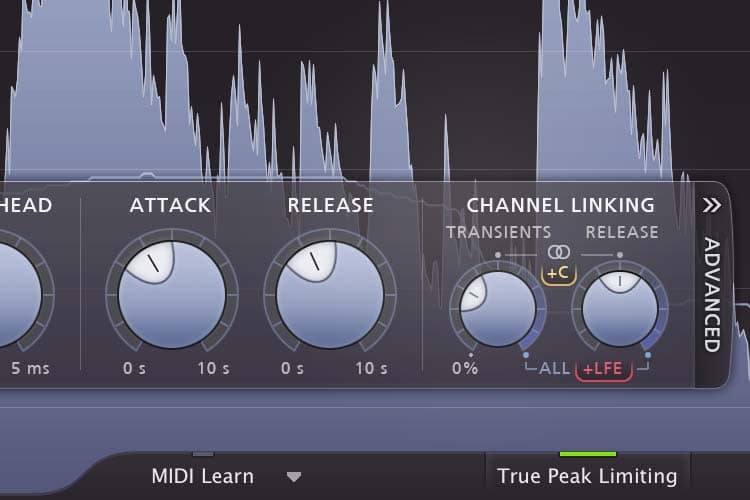
Attack and Release: The attack time sets how quickly the compressor responds. While the release time determines how long it takes to stop compressing. Faster attack times are great for controlling peaks, while slower attacks allow for more natural dynamics.
Adding Effects
Effects like reverb and delay add depth and space to your mix. They can create a sense of environment and make the mix feel more polished.
Reverb
Reverb simulates the sound of an acoustic space. Use it to give instruments a sense of space and depth.
Choosing the Right Reverb Type: Different reverb types (hall, room, plate, etc.) suit different instruments and styles. Experiment to find what fits your mix best.
Adjusting Reverb Parameters: Control the decay time to determine how long the reverb lasts. Use pre-delay to add a slight delay before the reverb begins, which can help maintain clarity.
Delay
Delay repeats the sound of a track, creating echoes that can enhance rhythm and texture.
Setting Delay Time: The delay time controls the length between repeats. Syncing delay to the tempo of your track ensures it complements the rhythm.
Feedback and Mix Levels: Feedback controls how many repeats occur, while the mix level determines how much delay is blended with the original signal.
Finalizing Your Mix
Once you’ve applied EQ, compression, and effects, it’s time to finalize your mix. This involves making final adjustments and preparing your track for mastering.
Automation
Automation allows you to dynamically change parameters over time. Use it to adjust volume, panning, or effects levels during specific parts of the song to create interest.
Reference Mixing
Compare your mix to professional tracks in the same genre. This helps ensure your mix is up to industry standards and translates well on different playback systems.
Exporting Your Mix
When you’re satisfied with your mix, export it as a high-quality audio file. Choose the appropriate file format and session bit depth and sample rate. WAV or AIFF to preserve the highest quality.
Conclusion
Mixing in the box offers endless possibilities for creating professional-sounding music. By understanding the basics of mixing and applying essential techniques, you can craft mixes that stand out. Remember, practice and experimentation are key to developing your skills and finding your unique sound. Happy mixing! -
Best Rated Studio Headphones
(updated Aug 17 2025)
Top Studio Headphones for Audiophiles
In the world of audiophiles, choosing the right studio headphones can make all the difference.
Whether you’re mixing tracks or producing music, having good studio headphones is crucial.
As 2025 unfolds, several standout models have captured the attention of sound enthusiasts everywhere.
Let’s dive into the top studio headphones that are setting the bar high this year.
Studio headphones are crafted to offer precision in sound reproduction. Unlike consumer-grade headphones that may accentuate certain frequencies for entertainment purposes, studio headphones provide a flat frequency response.
This means the audio output is as close as possible to the original recording, a vital feature for music producers who need to make accurate adjustments during mixing and mastering.
During the mixing and mastering process, the clarity and accuracy of sound are paramount. Studio headphones allow producers to hear every nuance of a track, ensuring that they can make informed decisions.
This is particularly important when tweaking elements such as EQ, reverb, and balance. The right headphones can help producers identify subtle imperfections that might otherwise go unnoticed.
While studio headphones are essential tools for music production, their benefits extend beyond the studio.
Audiophiles who appreciate high-fidelity sound can enjoy a more authentic listening experience. These headphones are ideal for those who want to hear music as the artist intended, without coloration or distortion, offering an unparalleled audio experience.
Close-up of studio headphones2025 brings a variety of options for those seeking the best-rated studio headphones. Here are our top picks that combine quality, comfort, and value for money.
1. Sennheiser HD 800 S
Unmatched Soundstage
The Sennheiser HD 800 S is renowned for its expansive soundstage, a feature that audiophiles love. This open-back design allows sound to interact with the environment in a natural way, creating a more immersive experience.
This is particularly beneficial for genres that rely on spatial audio elements, such as classical or live recordings.
Detailing and Clarity
These headphones are celebrated for their ability to reproduce intricate details in music. Whether it’s the subtlety of a string quartet or the complexity of a layered electronic track, the HD 800 S handles it with finesse. This level of detail is crucial for producers who need to hear every element of their mix.
Best Rated Studio Headphones
Comfort is a key consideration for those who spend long hours in the studio. The HD 800 S features ergonomically designed ear pads and a lightweight frame, making them ideal for extended listening sessions without causing fatigue.
2. Beyerdynamic DT 1990 Pro
Durability and Build Quality
The Beyerdynamic DT 1990 Pro is built to last, featuring a robust design that can withstand the rigors of daily studio use. The headphones come with replaceable ear pads and headband padding, ensuring longevity and maintaining comfort over time.
Balanced Sound Profile
These headphones are engineered to deliver a balanced sound profile, essential for accurate mixing and mastering.
The clarity in the mids and highs complements a well-defined bass, making them versatile for various musical genres.
German Engineering Excellence
Known for their precision engineering, Beyerdynamic headphones are crafted with meticulous attention to detail.
3. Audio-Technica ATH-M70x
Midrange Clarity
Audio-Technica’s ATH-M70x headphones are celebrated for their exceptional midrange clarity. This is particularly important for vocal and instrumental tracks, where the midrange frequencies often carry the most critical information.
Extended Frequency Response
The ATH-M70x offers an extended frequency response, capturing both the subtle highs and deep lows. This makes them suitable for a wide range of musical styles, from acoustic to electronic.
Noise Isolation
With a closed-back design, these headphones excel in sound isolation. This feature is crucial in studio environments where external noise can interfere with the mixing process, allowing users to focus solely on the music.
Best Headphones for Mixing
For those who are particularly focused on mixing, having headphones that offer a neutral sound profile is essential. Here are the best headphones for mixing that you should consider this year.
1. AKG K702
Spacious Soundstage
The AKG K702 is a staple in many studios around the world, known for its spacious soundstage. This allows for an accurate representation of stereo imaging, crucial for mixing tracks where spatial placement of sounds is vital.
Accurate Sound Reproduction
These open-back headphones are designed to provide an accurate sound reproduction, capturing the essence of every track. This accuracy helps engineers make precise adjustments, ensuring the final mix meets the desired artistic vision.
Comfort and Design
Comfortable for long sessions, the K702 features an adjustable headband and cushioned ear pads. This design ensures that the headphones remain comfortable during extended mixing sessions, a must for professionals.
2. Shure SRH1840
Lightweight and Durable
Shure’s SRH1840 headphones are renowned for their lightweight design, reducing fatigue during extended use. Despite their light weight, they are built to last, with a durable frame that can withstand the demands of professional use.
Superb Audio Quality
The SRH1840 offers superb audio quality, providing a natural listening experience that is essential for mixing. The open-back architecture contributes to a wide soundstage, allowing for a more immersive and detailed auditory experience.
Ideal for Long Mixing Sessions
The comfortable fit of these headphones makes long mixing sessions more manageable. The design minimizes pressure on the ears, allowing producers to work for hours without discomfort, which is crucial for maintaining focus and productivity.
3. Focal
Balanced Sound with Bass Precision
Focal’s headphones offer a balanced sound with excellent bass precision. This characteristic is particularly important for mixing genres like dance and electronic music, where bass plays a pivotal role.
Ergonomic Comfort
Designed with professionals in mind, these headphones offer ergonomic comfort, reducing fatigue during long sessions. The ear cups are designed to fit snugly, providing both comfort and effective noise isolation.
Durability for Professional Use
Built to withstand the rigors of daily use, the Listen Professional headphones are constructed with high-quality materials. This durability ensures that they remain reliable tools in any studio setting, making them a wise investment for professionals.
Best Studio Headphones for Different Needs
Not all headphones are created equal, and different users may have unique requirements. Here are some of the best studio headphones for specific needs in 2025.
1. Best for Comfort: Sony MDR-7506
comfortable studio headphonesLong-standing Reputation
The Sony MDR-7506 has a long-standing reputation among audio professionals, known for its comfort and reliability. These headphones have been a staple in studios for decades, a testament to their enduring appeal and performance.
Lightweight Design
The lightweight design of the MDR-7506 makes them ideal for extended use. The cushioned ear cups provide a comfortable fit, ensuring that users can wear them for long periods without experiencing discomfort.
Sound Isolation
Despite their comfort, these headphones do not compromise on sound quality. They offer excellent sound isolation, making them suitable for both studio and live settings, where background noise can be a concern.
2. Best for Budget: Samson SR850
Affordable Quality
For audiophiles on a budget, the Samson SR850 offers excellent value for money. These headphones provide a balanced sound profile, delivering quality audio without breaking the bank.
Semi-Open Design
The semi-open design of the SR850 provides a natural soundstage, enhancing the listening experience. This design is beneficial for mixing, allowing for a more accurate representation of audio tracks.
Value for Money
While they may not have the premium build of higher-end models, the SR850 headphones deliver impressive sound quality at an affordable price. They are an excellent choice for those starting in audio production or looking for a budget-friendly option.
3. Best for Portability: Bose QuietComfort 35 II
Wireless Convenience
For those who need studio-quality sound on the go, the Bose QuietComfort 35 II is an excellent choice. These wireless headphones offer the convenience of Bluetooth connectivity, making them perfect for travel and on-the-go listening.
Active Noise Cancellation
The active noise cancellation feature of the QC35 II ensures that external noise does not interfere with the listening experience. This is particularly useful for those who need to focus in noisy environments, such as during travel or in busy workspaces.
Balanced Sound Quality
Despite being portable, these headphones do not compromise on sound quality. They provide a clear and balanced sound.
When selecting the best studio headphones for your needs, consider the following factors:
Sound Quality
Look for headphones that offer a flat frequency response for accurate sound reproduction.
This ensures that you hear the music without any coloration or distortion that could affect your mixing decisions.
Comfort
Ensure that the headphones are comfortable for long sessions. Features such as cushioned ear pads and adjustable headbands can make a significant difference during extended use, preventing discomfort and fatigue.
Build Quality
Choose headphones with a durable design that can withstand regular use. High-quality materials and replaceable components can extend the life of your headphones, making them a worthwhile investment.
Budget
Determine your budget and find headphones that offer the best value within your price range. While it’s tempting to opt for the most expensive model, many affordable options provide excellent sound quality and features.
Conclusion
In 2025, the market for studio headphones is richer and more diverse than ever. Whether you’re a professional producer or an audiophile seeking the best sound experience, there’s a perfect pair of headphones out there for you. By considering your specific needs and preferences, you can find the ideal headphones to elevate your audio experience. Happy listening! -
Master Advanced Audio Mixing Techniques
Innovative Advanced Audio Mixing Techniques
Audio mixing is both an art and a science. It’s the process of combining audio tracks into one cohesive piece.
For those looking to elevate their audio projects. Exploring advanced audio mixing techniques can make a significant difference. Whether you’re a budding producer, a seasoned sound engineer. Understanding and applying these techniques can enhance your work. These techniques can transform your raw recordings into a polished masterpiece. That resonates with listeners.
Let’s discover how these advanced methods can bring you projects to life.
Understanding the Basics of Audio Mixing
Before diving into advanced techniques. It’s important to grasp the basics of audio mixing. At its core, mixing involves balancing levels, panning sounds within the stereo field. Applying equalization (EQ) and compression, also adding effects like reverb and delays. These foundational elements serve as the building blocks for an
successful mix. Ensuring that each component of your audio is clear and well integrated.
By mastering these basics, you set the stage for implementing more sophisticated techniques. That can elevate your work to a professional standard.
Levels and Balance
Setting the levels and achieving balance is the first step in mixing. Each track in your mix should have its place, ensuring no single element overpower the other. Unless intended for creative reasons. This balance is crucial for
clarity and cohesion.
The art of balancing involves not only adjusting the volume but also understanding the role each sound plays within the mix. With careful attention, you can create a soundscape where every element is distinctly heard. Yet collectively contributes to the intended emotional impact.
Panning for Depth
Panning involves moving sounds within the stereo field. Giving a sense of space and dimension. Proper panning can mimic how we naturally hear sounds in the real world.
Creating an immersive listening experience by strategically placing sounds within the stereo spectrum.
This way you can guide the listener’s focus and enhance the mix’s depth.
Experimenting with different panning positions can reveal new dimensions in your mix.
Adding interest and preventing it from sounding flat or congested. Effective panning not only replicates natural hearing but also opens up creative possibilities.
EQ and Compression
Equalization helps in shaping the tonal balance of your tracks. It allows certain frequencies to stand out while minimizing others. Creating a cleaner and more focused sound.
Compression, on the other hand, controls the dynamic range of a sound. Ensuring consistent volume throughout the track. Together, EQ and compression form the backbone of a polished mix.
Mastering these tools involves understanding their impact on different frequencies and dynamics. Allowing you to sculpt your mix with precision. With careful application of EQ and compression, is possible to bring out the best in your recordings. Enhancing their clarity and
presence.
Advanced Audio
Mixing Techniques
With a solid foundation, you can now explore advanced techniques. And refine your mixes further. These methods are designed to push the boundaries of traditional mixing.
By incorporating these techniques, you will add depth, interest, and professional polish to your music. Each advanced technique offers unique benefits. Whether it’s adding punch, creating movement, or expanding the stereo field. Let’s delve into these methods and discover how they can transform your mixing process.
Parallel Compression
Parallel compression, also known as New York compression. Involves blending a compressed version of a track with the uncompressed original. This technique preserves the track’s dynamics while adding punch and presence. By maintaining the natural dynamics of the original track. Parallel compression allows for a fuller sound without sacrificing clarity. It adds energy and thickness, making the mix more engaging and impactful. This technique is particularly effective on drums and vocals. Where dynamic expression is crucial.
How to Use Parallel Compression
Duplicate the Track: Start by duplicating the track you want to compress. This step ensures you have both an uncompressed and a compressed version to work with.
Apply Heavy Compression: On the duplicate, apply aggressive compression settings. This involves setting a high ratio and a fast attack time to capture the transient peaks.
Blend with the Original: Mix the compressed track back with the original. Adjust the levels to taste, achieving a fuller sound without losing dynamics. The key is to blend until the desired punch and presence are achieved.
Automation for Dynamic Control
Automation is a powerful tool that allows you to change parameters over time. Automating volume, panning, and effects creates dynamic and evolving mixes. It enables you to introduce gradual changes that can enhance the emotional impact of the mix. Through automation, you can guide the listener’s journey. Adding subtlety and nuance to your audio project. Whether highlighting a vocal line or creating an evolving soundscape. Automation offers great creative possibilities.
Tips for Effective Automation
Volume Automation: Use it to highlight specific parts of a track. S Create crescendos and decrescendos. This technique can add drama and excitement to your mix.
Panning Automation: Create movement and interest by automating panning,. Especially on effects like delays. This can enhance the spatial dimension of your mix, making it more immersive.
Gradually introduce effects like reverb or delay to build excitement or tension. Automating effects can transform the mood of a track. Providing dynamic shifts that captivate listeners.
Mid/Side Processing
Mid/Side processing is a technique used to control the stereo width of a mix. It involves separating a track into its mid (center) and side (stereo) components and processing them independently. This approach allows for precise control over the stereo image. Enhancing clarity and focus. By independently adjusting the mid and side elements, you can create a balanced mix that retains energy and spatial interest.
Benefits of Mid/Side Processing
By processing the mid and side separately, you can ensure the lead elements remain clear while widening the stereo field. This separation allows for cleaner and more defined mixes.
Creative Effects: Apply effects only to the sides to keep the center clean and focused. This technique can add width and texture without cluttering the central elements of your mix.
Professional Mixing Techniques
To take your mixes to the next level, consider adopting some professional-grade techniques. These methods are used by top engineers to achieve high-quality results. That translate well across different listening environments. Professional techniques often focus on precision. Clarity, and creativity are needed to craft exceptional audio experiences.
Use of Reference Tracks
Reference tracks are professionally mixed and mastered tracks used as a benchmark. They help ensure your mix translates well across different systems. By comparing your mix to a reference track, you can identify areas that need improvement. Reference tracks offer a standard against which you can measure your progress, guiding you toward a more balanced mix.
How to Use Reference Tracks
Match Levels: Make sure the volume of your mix matches the reference track. Level matching ensures a fair comparison, allowing you to focus on the tonal and dynamic differences.
Listen to how the bass, mids, and highs are balanced in the reference track. Adjust your mix accordingly. This practice helps you achieve a well-rounded mix that resonates across various playback systems.
Analyze Dynamics: Pay attention to the dynamic range and transient response of the reference track. Use these insights to refine the dynamics in your own mix, ensuring impact and clarity.
Employing Subtractive EQ
Subtractive EQ involves cutting frequencies rather than boosting them. This approach often results in a cleaner mix by removing unwanted frequencies that muddy the sound. By focusing on reducing problematic frequencies, you can enhance the definition of your mix. Subtractive EQ is a subtle yet powerful tool for achieving a balanced and transparent sound.
Steps for Subtractive EQ
Identify Problematic Frequencies: Use a narrow Q and boost to sweep and find unwanted frequencies. Listen for frequencies that cause muddiness, harshness, or conflict. NOT in SOLO.
Cut the Frequencies: Once identified, cut these frequencies to clear up the mix. A gentle reduction can often make a significant difference in the overall sound.
Refine the Balance: After cutting, reassess the mix to ensure a balanced frequency response. Subtractive EQ is about fine-tuning, so make adjustments as needed to achieve the desired tonal balance.
Layering for Depth and Texture
Layering involves stacking multiple sounds to create a richer, more complex texture. This technique can apply to drums, vocals, or any instrument. By combining different layers, you can add depth and dimension to your mix. Layering is a creative process that allows you to explore new sonic possibilities and enhance the emotional impact of your audio.
Effective Layering Techniques
Complementary Sounds: Choose sounds that complement each other, filling in frequency gaps. This approach creates a cohesive and full-bodied sound.
Time Alignment: Ensure layers are perfectly time-aligned to avoid phase issues. Proper alignment preserves the integrity of the combined sounds. Maintaining their clarity and punch.
Texture Variation: Experiment with different textures and timbres to add interest and variety. Layering offers the opportunity to create unique soundscapes.
Conclusion
By mastering these audio mixing techniques, you can significantly enhance the quality and impact of your music.
Remember, practice and experimentation are key. Keep refining your skills and exploring new methods, and your mixes will continue to improve.
As you integrate these methods into your workflow, you’ll find new ways to express your creativity and achieve your artistic vision. Happy mixing! -

Top Books on Audio
Must-Reads for Aspiring and Pro Audio Professionals
(Updated 2025.08.07)
Whether you’re a sound engineer, a seasoned music producer, or an audio enthusiast. Having the right resources can transform your understanding of sound. In this article, we’ll explore the top books on audio that offer deep insights into mixing, mastering, recording and acoustics.
These books aren’t only filled with technical tips. They’re timeless references that help shape your ear and mindset for high-quality sound.
1. Mixing Secrets for the Small Studio by Mike Senior
Why it’s a must-read:This book is perfect for those mixing in a home or project studio. Mike Senior breaks down professional mixing techniques without involving expensive gear.
Topics covered:
- Home studio acoustics
- Mixing workflows
- EQ, compression, reverb essentials
- Real-world case studies
Ideal for: Beginners to intermediate mixers
📚 2. Mastering Audio: The Art and the Science by Bob Katz
Why it stands out:
Considered the mastering bible, Bob Katz dives deep into the philosophy, techniques, and science behind mastering.Topics covered:
- Dynamics and loudness
- Monitoring and reference systems
- Mastering for digital platforms
- Loudness wars and LUFS
Ideal for: Intermediate to advanced producers and engineers
🎤 3. The Recording Engineer’s Handbook by Bobby Owsinski
Why it’s essential:
Owsinski covers mic placement, recording techniques, and interviews with top engineers. It’s incredibly practical and loaded with wisdom.Topics covered:
- Microphone techniques
- Session organization
- Recording instruments and vocals
- Troubleshooting common issues
Ideal for: Recording engineers and studio owners
📖 4. Modern Recording Techniques by David Miles Huber
Why it’s respected:
A comprehensive guide to the entire recording process—both analog and digital. It’s often used in audio production courses.Topics covered:
- Digital audio fundamentals
- DAWs, plugins, and hardware
- Sound design
- Studio design and setup
Ideal for: Students, educators, and working professionals
🧠 5. Sound Design: The Expressive Power of Music, Voice and Sound Effects in Cinema by David Sonnenschein
Why it’s unique:
This book blends audio theory with the emotional impact of sound in film, games, and multimedia. A great pick if you’re into sound design or scoring.Topics covered:
- Emotional cues through audio
- Psychoacoustics
- Sound-music-dialogue interaction
- Audio storytelling techniques
Ideal for: Sound designers, composers, media creators
🔊 6. The Art of Mixing by David Gibson
Why it’s visually brilliant:
Famous for its color-coded 3D visual approach to mixing, this book helps you “see” your mix—perfect for visual learners.Topics covered:
- Mix balance and depth
- EQ and spatial perception
- Stereo imaging
- Mixing genre-specific music
Ideal for: Visual learners and intermediate mixers
🎚️ 7. Zen and the Art of Mixing by Mixerman
Why it’s different:
Not just a technical manual, this book dives into the mindset and psychology of mixing. Entertaining, insightful, and brutally honest.Topics covered:
- Mixing attitude and approach
- Artist and engineer dynamics
- Session psychology
- Real-world anecdotes
Ideal for: Creative professionals and mindset-oriented readers
🔍 SEO Tips Recap: Keywords Covered
🎼 Final Thoughts
Reading any of these top books on audio is like spending hours with a mentor. They give you the tools to hear better, work faster, and mix with purpose. Whether you’re producing ambient music, scoring film, or mastering indie tracks—these books can elevate your sound.
-

Best Music Production Apps for Beginners
Production Apps for Beginners
(Updated 2025.28.06)
In today’s digital age. An Aspiring musicians have a wealth of tools at their fingertips to create and produce music. The evolution of technology has revolutionized the music industry. Democratizing the music creation process. Whether you’re starting or looking to refine your skills. M usic production apps offer a user-friendly way to dive into the world of music creation. This article will guide you through some of the top music production apps for beginners. Helping you find the perfect digital audio workstation (DAW) to start your musical journey. Whether you have a background in music or are a complete novice, these apps provide an accessible platform to unleash your creativity.

Moreover, these apps often come with built-in communities. Offering a supportive environment for beginners.
Many of these apps are designed to be intuitive. With drag-and-drop features and simplified interfaces that don’t require a steep learning curve.
This is crucial for beginners who may feel overwhelmed by the complex software used in professional studios.
With music production apps, you can focus on developing your musical ideas rather than learning the software.
What to Look for in a Music Production App
When selecting a music production app, there are several key features to consider:
- Ease of Use: As a beginner, you’ll want an app that’s intuitive and easy to navigate. Look for apps with a clean interface and helpful tutorials that guide you through the basics. Many apps offer demo projects that allow you to familiarize yourself with the features without starting from scratch.
- Features: Look for apps that offer a variety of tools for recording, editing, and mixing. Comprehensive apps often include virtual instruments, effects, and a library of loops to enhance your music-making process. Consider whether the app supports MIDI and external hardware if you plan to expand your setup.
- Compatibility: Ensure the app is compatible with your devices. This includes checking whether the app runs smoothly on your operating system. Or whether it supports integration with other software or hardware you may use.
- Cost: Consider whether you prefer a free app or are willing to invest in a paid version. Free apps are great for getting started, but paid versions often offer more robust features and support. Evaluate your budget and determine what level of investment you’re comfortable with.
Top Music Production Apps for Beginners

1. GarageBand
GarageBand is a powerful DAW that’s perfect for beginners. Developed by Apple, it’s available for free on all iOS devices and offers a wide range of features. Users can create music using a variety of virtual instruments, loops, and effects. GarageBand’s user-friendly interface makes it easy to record, edit, and mix tracks. Making it an great choice for those new to music production.
Key Features:
- Intuitive drag-and-drop interface, allowing you to easily arrange and modify your music.
- A vast library of loops and sound effects that cater to different genres, from rock to classical.
- Multi-touch feature for playing instruments on your device, turning your screen into a mini keyboard or drum pad.
- Supports third-party plug-ins for additional sounds, giving you the flexibility to expand your sound library as you progress.
GarageBand also includes a feature called “Live Loops” that allows users to experiment with a grid of loops and samples to create unique compositions. This feature is particularly useful for those interested in electronic music and live performances. Additionally, GarageBand’s integration with iCloud allows you to start a project on one device and continue it on another, ensuring your music-making process is seamless and uninterrupted.
2. FL Studio Mobile

FL Studio Mobile is the portable version of the popular desktop software, FL Studio. It’s available on both iOS and Android devices, offering a range of tools for music creation. This app is known for its high-quality sound and flexibility, allowing users to create and edit tracks on the go.
Key Features:
- Step sequencer for percussion programming, enabling precise control over rhythm and beats.
- Piano roll for note editing, which is invaluable for composing melodies and harmonies.
- Mixer for effects and EQ, providing tools to fine-tune the sound of each track.
- Supports MIDI controllers, allowing you to connect hardware instruments and enhance your music production experience.
FL Studio Mobile also offers the capability to export your projects to the desktop version of FL Studio, providing a seamless transition if you decide to invest in more advanced production tools. Its customizable interface allows you to tailor the app to your workflow, making it a versatile option for beginners and experienced producers alike.
3. BandLab
BandLab is a free music production app that offers unlimited cloud storage, making it easy to collaborate with other musicians. It’s available on iOS, Android, and web platforms, providing a seamless experience across devices. BandLab is perfect for beginners due to its straightforward interface and community features, which allow users to share their music and get feedback.
Key Features:
- 12 track mix editor, offering ample space for layering instruments and vocals in your compositions.
- Over 100 virtual instruments, covering a wide range of sounds and styles.
- Social features for collaboration, including the ability to collaborate in real-time with musicians around the world.
- Built-in mastering tools to polish your tracks before sharing them with others.
BandLab’s community aspect is particularly beneficial for beginners, as it offers a platform to connect with other musicians, exchange ideas, and receive constructive feedback. The app also hosts regular contests and challenges, providing additional motivation and opportunities for exposure as you develop your skills.
4. Soundtrap
Soundtrap is another excellent choice for beginners, offering a collaborative environment where users can create music together online. It’s a web-based DAW, which means you can access it from any device with an internet connection. Soundtrap is user-friendly and provides a wide range of instruments and loops to experiment with.
Key Features:
- Real-time collaboration with other users, allowing you to invite friends to join your project and create music together.
- Large library of loops and presets, giving you the tools to start producing music right away.
- Auto-tune feature, perfect for vocalists who want to enhance their recordings.
- Podcast creation tools, making it a versatile app for those interested in both music and audio storytelling.
Soundtrap also offers education plans and resources for teachers and students, making it an excellent choice for music educators looking to introduce their students to music production. Its cross-platform compatibility ensures that everyone can join the creative process, regardless of their device.
5. Caustic 3
Caustic 3 is a fun and intuitive app that mimics the operation of rack-mount synthesizers and samplers. It’s available on iOS and Android devices and is perfect for those interested in electronic music production. With its extensive range of synthesizers and effects, Caustic 3 offers a playground for creativity.
Key Features:
- 14 synthesizers, including Subsynth, PCMSynth, and BassLine, each offering unique sound design possibilities.
- Pattern-based sequencer, perfect for creating complex rhythmic patterns and melodies.
- Real-time effects rack, allowing you to add and manipulate effects as your track plays.
- Automation support, giving you the ability to dynamically control parameters over time.
Caustic 3’s modular approach lets users build their own custom sound setups, making it an excellent choice for those who enjoy experimenting with sound design. The app’s community forums provide additional support and inspiration, helping you to troubleshoot and enhance your music production techniques.
Tips for Getting Started with Music Production Apps
- Explore Tutorials: Most apps offer tutorials or guides to help you get started. Take advantage of these resources to understand the basics. Many apps also have active user communities and forums where you can find additional tips and tricks.
- Experiment with Sounds: Don’t be afraid to try different sounds and effects to find your unique style. Explore the variety of instruments and loops available, and don’t hesitate to mix genres to create something truly original.
- Collaborate with Others: Use apps with social features to connect with other musicians and learn from their experiences. Collaboration can provide new perspectives and inspire creativity, helping you grow as a musician.
- Practice Regularly: Like any skill, regular practice is key to improving your music production abilities. Set aside dedicated time each week to work on your music, and don’t be discouraged by initial setbacks. Consistency is crucial for progress.
- Set Goals: Establish short-term and long-term goals for your music production journey. Whether it’s completing a track, learning a new technique, or collaborating with another artist, having clear objectives will keep you motivated and focused.
Conclusion
Music production apps are a fantastic way for beginners to start creating music. With user-friendly interfaces and a variety of features, these apps make it easy to explore your musical talents. Whether you choose GarageBand for its simplicity or FL Studio Mobile for its advanced features, the most important thing is to start creating and have fun with your music journey.
By selecting the right music production app and dedicating time to practice, you’ll be well on your way to producing your first track. Remember, the journey of music production is as much about exploration and creativity as it is about technical skill. Embrace the process, learn from each experience, and most importantly, enjoy the music-making journey. Happy music-making!
-
Mastering Plugins: Elevate Your Music to Professional Standards
(Edited Aug 07 2025)
The last and undoubtedly the most crucial part of music production is mastering. It takes a well-mixed piece of music and turns it into a sharp and professional-sounding piece of art. You could say that mastering is like applying the final touch-ups to a painting. If that were the case, though, mixing would serve as the base layer of a painting, from which you could build textures and colors up to a professional-looking, polished piece of art.
That leads me to ask: Can you master a song without any plugins? The answer is yes. Would I recommend it? No.
It can feel a bit overwhelming to choose the best plugins, given the number of options available. Some choices evoke the warm shadows of classic analog gear, while others confer the hottest cutting-edge digital tools—and some tools are powered by AI. Still, no matter what sounds do it for you, make sure the plugins you pick to work with your digital audio workstation (DAW) are part of your sound universe, not some alternate-reality sound universe.
This guide examines the best plugins for mastering, taking into account their characteristics, and serving to help you find the ones that will take your music to a pro level.
—
What Are Mastering Plugins and Why Are They Essential?
Nowadays, music producers largely depend on plugins to generate their desired sounds. Although many tried-and-true techniques still exist, the plugin has emerged as the essential device for contemporary producers. And far from being perceived as the audio device that no one wants to associate with the word “plugin,” the equalizer has remained a dependable and incredibly beneficial tool for quite some time.
Several important reasons make these plugins essential.
- Balance of Frequency: These correct the mix’s uneven aspects, providing a clear and cohesive audio experience.
- Enhancing the Stereo Field: Crystal-clear separations of the auditory components allow them to be received distinctly. This spatial element in and of itself contributes a significant amount of depth and dimension to your mixes.
- Making Things Louder: They use dynamic processing like compression and limiting to make a track sound louder without any degradation of quality.
Plugins utilized for mastering must have the following attributes to be effective:
- Transparency: A quality plugin for mastering does its tasks without imparting any coloration to the sound.
- Control: It is essential to have the ability to adjust the mastering plugin’s parameters in a meaningful way, and a good plugin provides this capability.
- Resolution: The plugin must work effectively at a range of different settings, but especially those that are critical to the mastering process.
- Reliability: The plugin must give consistent results across different sessions and different sounds as long as the same settings are used.
- Compatibility: The plugin’s sound (or the lack of it) must translate across different systems, and a good plugin does this.
- Tonal balance is achieved through EQ.
- Problem frequencies are corrected with EQ.
- Equalizer with dynamic depth for tonal adjustments. Compressed dynamic control.
Gain can be described as the mathematical total of energy taken in at the input and emitted at the output. Its main purpose is to increase signal voltage. When exceeding a certain limit, limiting clamping will occur because it prevents the signal from exceeding a defined amplitude threshold.
Achieving balance is what mastering is all about.
The idea of balance includes all that I have mentioned so far, and I can encapsulate it in just a few words.
This is the basis on which mastering is constructed.
Mastery is using something in just the right way—not too much, not too little—and having balance in your use of it.
Achieving stereophonic imaging for spatial depth in the mix. Select the plugin best suited for your routing needs. Routing is how sound travels through a system. It is the most crucial element to affect if you want to polysensually spatialize your sounds. Consider this when selecting a plugin.

Key Features to Look for in Great Mastering Plugins
When choosing mastering plugins, specific features are crucial for achieving professional quality. These tools should enhance clarity while maintaining the integrity of your audio. Knowing what to look for can streamline your selection process.
One essential feature is versatile equalization (EQ). A good EQ offers precise control over different frequencies, allowing you to shape the tonal balance effectively.
This is key to achieving a well-rounded mix.
Another important aspect is dynamics processing. Plugins with advanced compression and limiting functionalities help maintain consistent dynamics and boost loudnes. These features can prevent distortion while enhancing the track’s impact.
Also, consider plugins with stereo imaging tools. They can broaden the stereo field, enriching the spatial quality of your mix. This can make your tracks sound fuller and more immersive.
Here are key features to prioritize:
- Comprehensive equalization
- Advanced dynamics processing
- Stereo imaging capabilities
- User-friendly interface
- Compatibility with various DAWs
Choosing plugins that meet these criteria will serve both beginners and seasoned professionals. They ensure efficient workflow and high-quality outcomes.
Key Features to Look for in Mastering Plugins
Choosing plugins for mastering takes considerable care and precision, for the plugins need to be just right to carry out a job that is unusually vital in the audio production process. There are many good plugins available, but all sound different and work differently.
When it comes to using tools for mastering, you want ones that will make your mix translate well across all audio systems and sound as if it were meant to be mixed and mastered right from the get-go. There’s many a tale told in studios about mastering sessions gone awry, where the unnecessary use of this or that plugin turned a decent mix into a compromised track.
- Equalization (EQ) That Works: For effective equalization, what you need most is a good EQ, but that’s not really the issue—most DAWs come with at least one good EQ, and there are plenty of quality plugins out there to choose from. If you think a particular mixdown sounds muddy or too thin in places, it can be EQ you’re using too liberally or ineffectively to bridge tonal gaps.
- Advanced Dynamics Processing: Choose plugins that are good for compression and limiting. These keep the dynamic range consistent and can boost the loudness without adding any distortion.
- Stereo Imaging Tools: These enlarge the stereo field, which makes your tracks sound more engrossing (i.e., hedonically desirable) and slightly mellower (i.e., less aggressive).
- Friendly User Interface: A clear and easy-to-understand design allows for a workflow that is many times smoother.
- DAW Compatibility: Check that the plugin performs as you prefer with the software you prefer to use.
When you shine the light on these characteristics, what you receive are plugins that suit the workflows of both novices and seasoned professionals, ensuring all users can accomplish their tasks with unrivaled speed and stamina.
—
The Best Mastering Plugins for Professional Results
The right mastering plugins can take your music and make it more intense, sharper, deeper, and more in-your-face than ever before. And listening to music isn’t just about the experience of the sound; it’s about the experience of the sound as it relates to every other sound that it interacts with. Which is why you should be using these plugins.
Here are some of the most reliable names in the business.
- Ozone by iZotope
iZotope’s Ozone is a complete and potent contemporary mastering suite that works remarkably well and has garnered considerable praise, both for its user-friendly interface and for its considerable capabilities.
Its main components are:
- Equalizers and Dynamics Processors: Make distinct changes to achieve a more polished result.
- Stereophonic Imaging Tools: Spatial characteristics shine.
- Master Assistant: A component utilizing AI that provides personalized launching points for your mastering actions.
Ozone is flexible enough for both novices and pros and has modules like the Exciter, Maximizer, and vintage tools.
- An Exciter that helps you make your mixes more colorful.
- A Maximizer that helps you get your material loud while still sounding good.
- Vintage tools that do all sorts of warm, wonderful things.
And each of these components (modules) is very good indeed.

- FabFilter Pro-L
The limiting master FabFilter Pro-L has a high reputation not just for being loud, but for being clear and transparent. Its main claim to fame is that it can take a mix and make it sound as if it’s at a truly competitive level.
But that’s just the tip of the iceberg. Here are some other things you ought to know about this plugin.
- Ensured Loudness: The limiting algorithms do the heavy lifting, and the gain reduction is very hard to hear, even when it’s really, really audible.
- Real-Time Level Display: This is a nice, large readout that shows the loudness levels clearly. It also shows the user what they need to look at to understand loudness.
- Waves Abbey Road TG Mastering Chain
This plug-in is dedicated to that legendary sound of the mastering devices at Abbey Road Studios. It delivers:
- Vintage EQ and Compression: This plug-in imparts truly vintage analog warmth to your sounds, just like the mastering magic at Abbey Road.
- Module Sequencing: Fit the sequence to your requirements.
- Control of Stereo Spread: This plug-in can also take your sounds and spatialize them.
Set it to work on an audio mix, and hold onto your seat. You won’t believe the results.
—
- Newfangled Audio Elevate Mastering Bundle
The Elevate Mastering Bundle is formed by sophisticated limiting and spectral clipping that yield dynamic, well-behaved results.
Its main features include:
- A Filter Bank with 26 Bands: This allows for tonal sculpting to an extraordinary level of detail.
- An Adaptive Limiter: This maximizes loudness while preserving your dynamics.
If you want to plunge into next-gen mastering, this is a perfect starting package.
- Brainworx bx_masterdesk
Simultaneously, bx_masterdesk by Brainworx makes mastering incredibly simple due to its all-in-one design, which allows you to control and manage everything from the very first stage of a mixdown to that last, shiny master.
The most essential features of bx_masterdesk are:
- You obtain thorough control over EQ and dynamics for profoundly effective sound manipulation and maintenance of dynamics.
- There are pre-built settings for different genres that make mastering much easier.
- Sound can be warmed up and made much richer and deeper with saturation and stereo enhancement. An analog saturation effect does this in the subtlest and most musically useful of ways. An analog saturator sits in a way that is far more pleasant to the ears and also makes it far more mix-friendly when talking about a sound that has punch or sounds like it is coming at you.
- It is easy to produce with, given that its interface is very helpful and intuitively functional.
- Mastering the Mix BASSROOM
BASSROOM focuses on the bass frequencies, ensuring that they come through with precision and clarity on any sound system.
Take Charge of the Low End: You have low bass content. You can have it. You can control it. If you want to trickle it in, you must use the right tools. Do not let your bass bleed. Do not over-compress. And always, always remember that low bass is present, even when it is not heard. That means you must manage it well regarding not just content and dynamics but also room acoustics and the basic physics of sound and how it behaves in space.
Here are three simple, straightforward ways to manage low bass in your productions.
- Reference Track Ideas: Consider effective tracks to be outlines.
- You Can Set Target Profiles Of: Make the settings suitable for your requirements.
This plugin works very well for obtaining a powerful and equilibrated low end.
- TDR Kotelnikov
The Kotelnikov TDR is a clear transparent dynamics processing tool.
It has the following key functionalities:
- Processing at High Resolution: For making exact alterations.
- Preservation of Mix Structure: This is what compression does.
- Peak Limiting Options: Control is increased with no artifacts introduced.
It’s a reliable option for mastering engineers who want outcomes that are clear and salable.
- Youlean Loudness Meter
This essential plugin handles the monitoring of loudness.
Among its many functions, you will find the following:
- Measuring the Loudness: Using blended, immediate, and ephemeral metrics.
- Feedback That Is Visual: Allows for the ease of adjustments to be made to levels.
- Simple to Operate: No matter how much or little experience a user has, this ensures the feeling of intuitiveness of the interface.
Youlean Loudness Meter is crucial for achieving not just consistent mixes but also ones that adhere to loudness standards.
Free vs. Paid Mastering Plugins: What’s Right for You?
Making a choice between free plugins and paid plugins comes down to necessity and budget. Free plugins can be powerful and do everything you could want a plugin to do, but they often don’t have the kinds of features that are necessary when you work at an advanced level. Paid plugins, in contrast, almost always have the kinds of capabilities that you’d wish your free plugin had, and they also tend to get updated a lot more frequently.
Think about the basic matters that have to do with you and your existence. When you have a clear understanding of what your innermost values are, it helps both in managing life’s many stressors (which it will certainly do at times) and in making decisions that mostly stay on the right side of the river. After all, if life’s not throwing stuff at you, it’s usually dishing out curveballs. And your reactions to them—the stuff in your life that truly gets your goat—is a pretty good litmus test for determining what really is and isn’t important to you.
What needs to occur for me to experience fulfillment? What conditions have to exist for me to occupy that zone of feeling fulfilled, you know, the zone where everything inside you, from your head to your toes, is just radiating with that “I’m really, really happy and satisfied” kind of feeling?
Tips for Using Mastering Plugins Effectively
Make certain that your listening environment is both well-designed and properly calibrated. You should be not only well-versed in your plugins but also understand the basic principles of mastering. Most importantly, you should have a clear idea of the goals for your project.
- Understand the Characteristics: Focus your attention on comprehending each and every instrument.
- Make Minor Adjustments: Minor tweaks can have a big impact on the outcomes.
- Utilizing Benchmark Songs: Evaluate your mix in relation to high-quality, industry-standard mixes.
- These techniques, when mastered, will guarantee consistent results at a level that could only be considered professional.
Conclusion: Choosing the Right Mastering Plugin for Your Sound
The correct mastering plugins can take your music to new heights, giving it an added professionalism and polish that any track needs to even be considered for a place in the public’s ears. What was once a seemingly rough concept is now a track that someone could easily envision transforming into a live performance.
But which plugins? That mainly depends on you and your direction. So spend a little time and play around with the different options; they’re pretty easy to use once you get the hang of it, and they’re not cost prohibitive if you get them in the right bundles. Or you can just use some of the trial versions that are available.